 Sofia Wells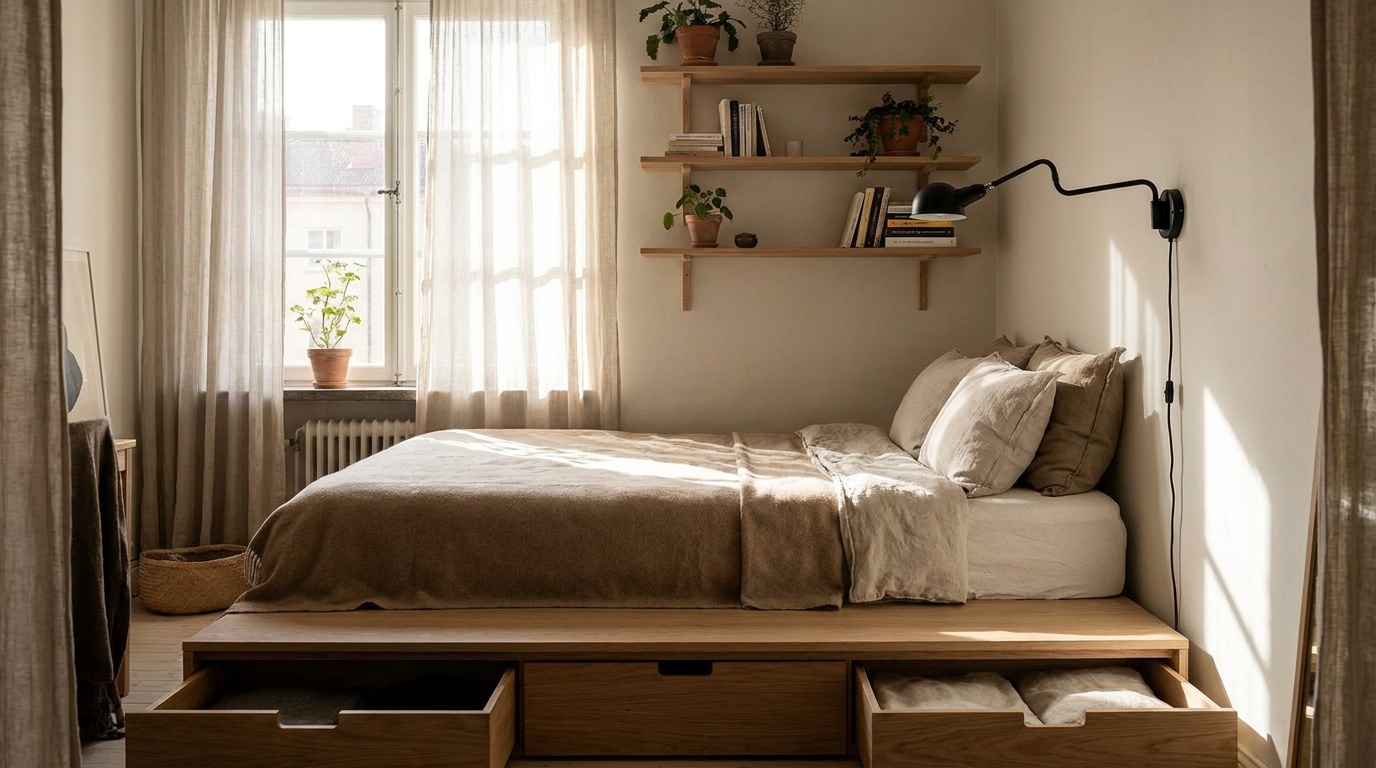
Small Bedroom Layout Ideas to Maximize Tight Square Footage
Reading time: 12 minutes
Sound familiar? You’re standing in the doorway of your bedroom, staring at 120 square feet of space that somehow needs to hold a bed, a wardrobe, a workspace, and still feel like a sanctuary — not a storage unit. Whether you’re living in a city micro-apartment, a starter home, or a college dorm, the challenge of making a small bedroom work is real, frustrating, and incredibly common.
Here’s the straight talk: a small bedroom doesn’t have to mean a cramped life. The difference between a room that feels suffocating and one that feels clever and cozy almost always comes down to intentional layout choices — not square footage. In 2026, with urban living costs continuing to climb and the average new apartment shrinking in many major cities, knowing how to design around tight spaces isn’t a luxury skill. It’s a survival strategy.
This guide will walk you through the most effective layout ideas, proven storage hacks, and spatial psychology principles to help you turn that tight room into a thoughtfully designed retreat.
Table of Contents
- Why Layout Matters More Than Size
- Bed Placement: The Foundation of Everything
- Go Vertical: Using Wall Height Strategically
- Multifunctional Furniture That Actually Works
- Visual Tricks That Make Rooms Feel Bigger
- Real-World Layout Examples
- 3 Common Small Bedroom Mistakes (and How to Fix Them)
- Layout Strategy Comparison Table
- Which Strategies Make the Biggest Impact?
- FAQs
- Your Room, Reimagined: A Practical Action Plan
Why Layout Matters More Than Size
Before we dive into specific strategies, it’s worth understanding the psychology at play. Research from the Journal of Environmental Psychology has consistently shown that perceived spaciousness is more closely linked to visual clarity and flow than to actual square footage. In practical terms, this means a well-organized 100 sq ft room can feel more comfortable than a cluttered 150 sq ft one.
In 2026, urban housing data paints a telling picture. According to a report by the National Association of Realtors released in early 2026, the average bedroom size in newly built apartments in major U.S. cities has dropped to approximately 132 square feet, down from 148 square feet in 2020. Meanwhile, remote and hybrid work models mean more people than ever need their bedroom to multitask — functioning as both a rest space and a work environment.
The bottom line: smart layout thinking isn’t about decorating. It’s about engineering your environment to serve your real daily life.
Bed Placement: The Foundation of Everything
Your bed is the largest piece of furniture in the room — typically consuming 40–60% of floor space in a small bedroom. Get its placement right, and everything else becomes easier. Get it wrong, and no amount of clever styling will save you.
The Corner Anchor Strategy
One of the most effective techniques for small rooms is placing the bed in a corner, pushed against two walls. This immediately frees up floor space on the remaining sides and creates a natural, cozy nook feel. The trade-off? One person may have to climb over the other if it’s a shared bed. For solo sleepers, however, this is often the single most impactful change you can make.
Pro Tip: If you go the corner route, invest in bedding that looks polished from all visible sides. Euro shams and a structured duvet make a corner bed look intentional rather than squished.
Platform Beds and Low Profiles
The height of your bed matters enormously in tight spaces. A high-profile bed with a thick frame and tall headboard can make a low-ceilinged room feel cave-like. Platform beds — those with a low, sleek profile — keep sightlines open and contribute to a sense of airiness. In 2026, platform bed designs have evolved significantly, with many now incorporating built-in USB ports, under-bed drawer systems, and modular headboard shelving that serve double duty without adding visual bulk.
Floating Beds: Worth the Investment?
Wall-mounted or “floating” beds are gaining serious traction in micro-apartment culture. By eliminating the traditional frame and mounting the bed platform directly to the wall, you expose the floor underneath — a visual trick that makes the room feel dramatically larger. Structurally, these require professional installation and wall reinforcement, but the payoff in perceived space is significant.
Go Vertical: Using Wall Height Strategically
Most people design their rooms horizontally — filling floor space until it runs out. The smarter move in tight bedrooms is to think vertically. Your walls, from floor to ceiling, are prime real estate.
Here’s a simple rule to internalize: every inch of wall above eye level is underutilized storage potential. Tall bookshelves, ceiling-height wardrobes, stacked wall-mounted shelving, and elevated loft beds are all ways to reclaim that space.
Loft Beds for Adults: Not Just for Kids
Contemporary loft bed designs in 2026 are a far cry from the flimsy student dorm versions of the past. High-quality adult loft systems — from brands like IKEA’s STORÅ line, Müller’s Housebed series, and newer entrants like Floyd Home’s Loft Platform — now incorporate desk areas, wardrobe rails, and even sofa nooks beneath the sleeping platform. For a room under 120 sq ft, a well-chosen loft bed system can effectively double your functional floor space.
Important caveat: Ceiling height matters. You need a minimum of 7.5 feet to make an adult loft bed comfortable and safe. Check your measurements carefully before committing.
Floor-to-Ceiling Wardrobes
A wardrobe that stops at 6 feet in a 9-foot room wastes roughly 3 feet of vertical space — often filled with nothing but dust. Extending wardrobes to the ceiling (either with upper cabinets or open shelving on top) accomplishes two things: it maximizes storage and it draws the eye upward, making the ceiling feel higher. This is one of the most cost-effective layout improvements available.
Multifunctional Furniture That Actually Works
The furniture market for small spaces has exploded in recent years. But not all multifunctional pieces deliver on their promise. Some are clever in theory but awkward in practice. Here’s a breakdown of what genuinely works.
Murphy Beds: The Classic That Keeps Evolving
The Murphy bed (wall bed) is experiencing a renaissance in 2026. Modern versions integrate seamlessly with surrounding cabinetry, folding down from what appears to be a standard shelving unit or home office wall. The key differentiator today is the “sofa Murphy” — a system where a full sofa folds up along with the bed, giving you a sitting room by day and a bedroom by night. For rooms that need to serve double duty as a guest room or home office, this is genuinely transformative.
Typical cost range in 2026: $1,200–$4,500 installed, depending on the system and your market.
Storage Ottomans and Benches
At the foot of the bed, a storage ottoman or bench replaces empty floor space with seating, surface area, and concealed storage — three functions in one footprint. This is particularly valuable in rooms where you need extra bedding, out-of-season clothing, or fitness gear tucked away but accessible.
Nightstands That Work Harder
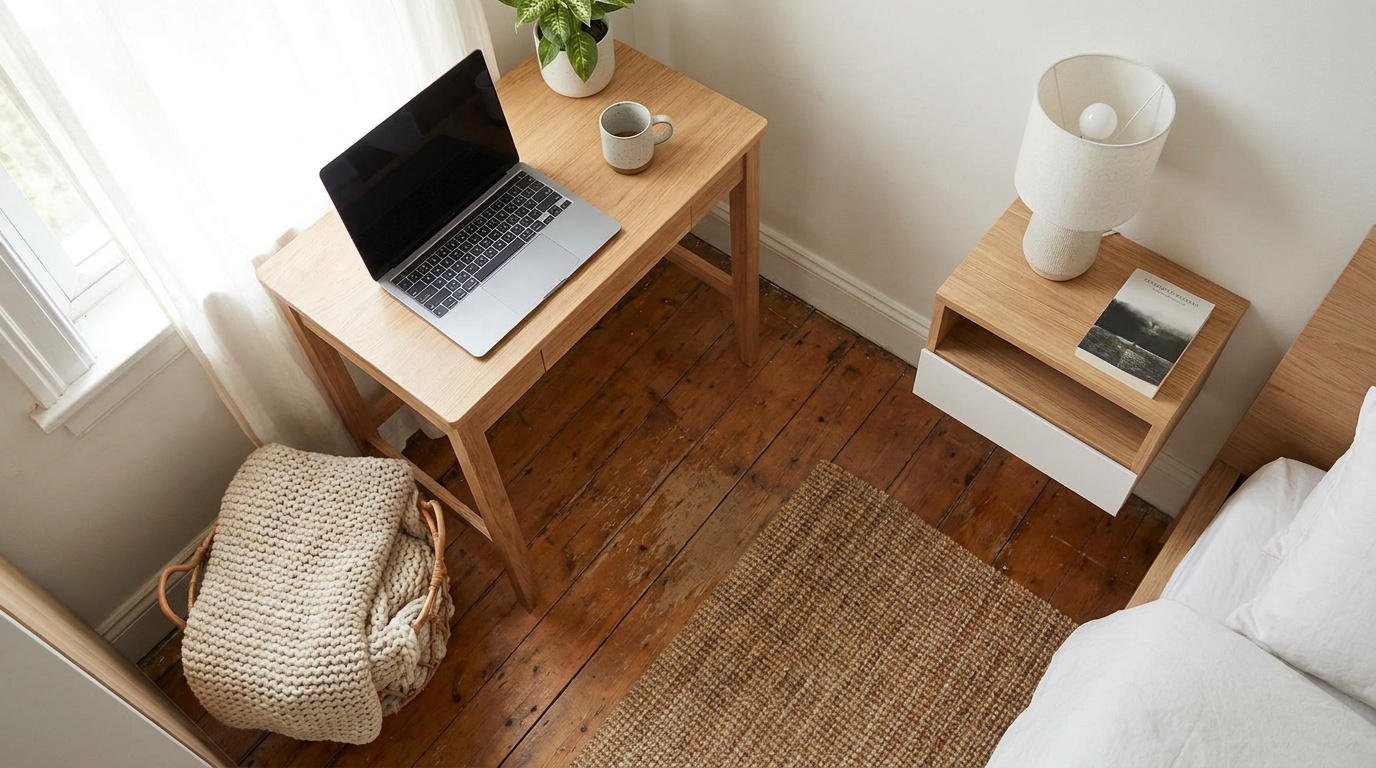
Traditional nightstands with a drawer and a shelf are a missed opportunity in small rooms. Consider alternatives: a floating wall shelf with a single drawer, a slim rolling cart that slides under the bed when not in use, or a ladder-style side table that leans against the wall and provides multiple surfaces without taking up floor space.
Visual Tricks That Make Rooms Feel Bigger
Layout isn’t purely physical. The way your eye moves through a space is just as important as how your body moves through it. Several design principles, grounded in spatial psychology, can dramatically alter how large a room feels.
- Light colors on walls and ceilings: Pale tones reflect light and push walls outward visually. In 2026, the trending palette for small bedrooms leans toward warm whites, soft sage greens, and barely-there blush tones — all of which expand perceived space while still feeling current and personal.
- Mirrors as spatial multipliers: A large mirror on the wall opposite a window effectively doubles the perceived depth of the room. Position it thoughtfully — reflecting natural light and a clean, organized view.
- Consistent flooring without rugs: Area rugs can feel cozy but also chop a small room into visual chunks. Continuous flooring that runs uninterrupted (or a single, appropriately sized rug that goes under the bed rather than just in front of it) maintains visual flow.
- Curtains hung high and wide: Hang curtains close to the ceiling and extend the rod several inches beyond the window frame on each side. This makes windows look larger and ceilings feel higher — a simple trick with outsized impact.
- Minimal color contrast furniture: When furniture, walls, and flooring are in the same tonal family, the eye doesn’t stop and catalog each item separately. The room reads as a unified space rather than a collection of competing objects.
Real-World Layout Examples
Case Study 1: The 95 Square Foot New York Studio Bedroom
In 2025, interior designer Priya Natarajan documented her transformation of a 95 sq ft bedroom in a Manhattan walk-up for a client working hybrid remotely. The challenges were significant: no closet, one small window, and the need for a full-size bed plus a dedicated work zone.
Her solution: a floor-to-ceiling custom wardrobe system along one wall, a Murphy bed integrated with a fold-down desk on the opposite wall, and floating shelves replacing a nightstand. The bed, when folded up, revealed a compact but fully functional workspace. The result? The client gained approximately 40 sq ft of effective daytime floor space by simply rethinking how the room functioned across a 24-hour cycle rather than trying to make everything visible at once.
Case Study 2: The 110 Square Foot Teen Bedroom Overhaul
A family in Chicago faced a common challenge in 2026: a teenager who needed study space, storage for sports equipment, and enough room to have a friend sleep over — all in a 110 sq ft secondary bedroom. The solution centered on a loft bed system with a built-in desk and shelving below, combined with a trundle bed that slid out for guests. Under-bed drawers on the trundle handled sports gear. Two tall wardrobes flanked the window, maximizing vertical storage. The result was a room that functioned well for three distinct use cases without feeling overcrowded in any of them.
3 Common Small Bedroom Mistakes (and How to Fix Them)
Mistake 1: Oversized Furniture
This is the number one error in small bedrooms. A king-size bed in a 120 sq ft room isn’t cozy — it’s claustrophobic. The fix: Downsize one bed size and invest the money saved in high-quality bedding that elevates the experience. A queen with premium linens will feel more luxurious than a king that barely allows walking space.
Mistake 2: Ignoring Circulation Paths
Interior designers typically recommend a minimum 24-inch walkway around the sides of the bed and between major furniture pieces. When you ignore this, you don’t just create physical obstacles — you create psychological discomfort. The room feels like an obstacle course. The fix: Before buying any furniture, sketch or tape out your floor plan and check that your circulation paths meet the minimum. Apps like Planner 5D or Roomstyler (both updated with strong AI layout features in 2026) make this process quick and free.
Mistake 3: No Defined Storage System
Random, uncoordinated storage — a pile here, a box there, a rack in the corner — creates visual chaos that makes any room feel smaller. The fix: Commit to a unified storage system where everything has a designated place and container. Even inexpensive coordination (matching storage boxes on open shelves, for example) dramatically reduces visual noise and makes the room feel larger and calmer.
Layout Strategy Comparison Table
| Strategy | Space Gained | Cost Range (2026) | Difficulty Level | Best For |
|---|---|---|---|---|
| Corner Bed Placement | Moderate (10–20 sq ft) | $0 (rearrangement) | Easy | Solo sleepers |
| Murphy Bed System | High (30–50 sq ft) | $1,200–$4,500 | Complex (pro install) | Dual-use rooms |
| Loft Bed with Desk | High (20–40 sq ft below) | $400–$2,000 | Moderate (assembly) | Students, WFH users |
| Ceiling-Height Wardrobes | Low (vertical only) | $300–$1,800 | Moderate | Closet-free rooms |
| Floating Shelves + Wall Bed | Moderate (15–25 sq ft) | $150–$600 | Easy to Moderate | Any small room |
Which Strategies Make the Biggest Impact?
Based on aggregated interior design surveys and case study data compiled through early 2026, here’s how different small-bedroom strategies rank by their impact on perceived spaciousness (rated out of 100 by occupants before and after implementation):
Note: Impact scores reflect self-reported perceived spaciousness improvements from surveyed homeowners and renters who implemented each strategy in 2024–2025.
Frequently Asked Questions
What is the best bed size for a very small bedroom?
For rooms under 120 square feet, a full-size (double) or queen bed is typically the most practical choice. A full bed measures 54″ x 75″ and leaves more room for movement, while a queen (60″ x 80″) is often the largest size you can comfortably fit while maintaining adequate circulation paths. If you’re a solo sleeper, a full bed with a well-designed platform frame can be surprisingly comfortable while giving you significantly more floor space to work with. In rooms under 90 sq ft, a twin XL is worth serious consideration, especially if a loft or Murphy bed system is part of the plan.
How do I create a work-from-home setup in a small bedroom without it feeling overwhelming?
The key is visual separation and collapsibility. A fold-down wall desk that closes flat when not in use is the gold standard — your brain gets a clear signal that work is “away” when the desk is closed. If a permanent desk is necessary, position it facing a wall rather than the bed, and use a bookshelf, curtain divider, or even a tall plant to create a soft visual boundary. Cable management is critical in small spaces — visible cable clutter amplifies the sense of disorder. In 2026, wireless charging pads and compact monitor arms have made clean desk setups significantly more achievable even in tight quarters.
Does the color of my bedroom walls really make that much difference in how big it feels?
Yes, measurably so. Studies in environmental psychology have consistently found that light, cool-toned colors — particularly whites, light grays, and soft blues — increase perceived room size by making walls appear to recede. Conversely, dark or highly saturated colors make walls feel closer. That said, the 2026 design consensus is more nuanced: a single dark accent wall (typically behind the bed) can actually create depth and dimension without shrinking the room, as long as the remaining three walls stay light. The ceiling is often overlooked — painting it a shade lighter than the walls significantly amplifies the sense of height, which is one of the most effective tricks in small room design.
Your Room, Reimagined: A Practical Action Plan
You’ve absorbed a lot of ideas. Now let’s turn them into a clear sequence you can actually act on — this week, this month, and beyond.
Step 1: Measure and map before you buy anything. Spend 30 minutes with a tape measure and a free layout app like Planner 5D. Know your exact dimensions, ceiling height, window locations, and door swing radius. This single step prevents the most expensive mistake in small room design: buying furniture that doesn’t fit the space it’s meant for.
Step 2: Address the bed first. Decide on bed size, profile, and placement before any other decision. Everything else — wardrobes, nightstands, desks — flows from that anchor. If your current bed is oversized for the room, seriously consider downsizing. It’s a short-term inconvenience with long-term livability payoff.
Step 3: Audit your storage and go vertical. Identify everything you’re currently storing on the floor or in undersized furniture. Map that to a vertical solution — ceiling-height wardrobes, loft shelving, over-door organizers. The goal is to get storage off the floor and onto the walls.
Step 4: Apply the visual layer. Once your layout is set, apply the spaciousness principles: light wall colors, strategic mirror placement, high-hung curtains, and consistent tonal coordination across your furniture and textiles.
Step 5: Live in it, then iterate. After living with your new layout for 2–4 weeks, you’ll have genuine insight into what’s working and what isn’t. Small adjustments — shifting a piece by 6 inches, swapping a nightstand style, adding a floating shelf — can make a meaningful difference at minimal cost.
In the broader context of 2026, where urban density continues to rise and housing affordability challenges show no sign of resolving quickly, the ability to create genuine quality of life in compact spaces is more valuable than ever. This isn’t a compromise — it’s a skill set. The most beautifully designed small rooms in the world prove that constraints, when approached creatively, often produce better outcomes than unlimited space.
So here’s the question to sit with: If your bedroom had to serve you better tomorrow than it does today — not because you moved, but because you thought about it differently — what’s the one change you’d make first?
Article reviewed by Tom Schuster, Roofing & Water Damage Rehabilitation Expert, on May 4, 2026